What is Geometry Dash Lite?
Geometry Dash Lite is the free version of the popular Geometry Dash game. It features a limited selection of levels perfect for players who want to experience the core gameplay without purchasing the full version. The lite version maintains all the exciting mechanics and challenging gameplay that made Geometry Dash famous. It's an excellent way to learn the game before diving into the full version.
Key Features of Geometry Dash Lite
Geometry Dash Lite combines simplicity with challenge, offering the perfect introduction to rhythm-based platformers. Whether you're completely new to gaming or looking for a casual experience, Lite provides everything you need to understand and enjoy Geometry Dash.
- Free to play: No cost, no in-app purchases, completely free and accessible
- Curated levels: Handpicked levels that provide a great introduction to the game
- Responsive controls: One-button gameplay that's easy to learn but challenging to master
- Progressive difficulty: Levels that gradually increase in difficulty as you improve
- Catchy music: Synchronized soundtrack that matches the gameplay perfectly
- Customization: Unlock new icons and colors as you progress through levels
- Practice mode: Learn difficult sections with checkpoint placement
How to Play Geometry Dash Lite
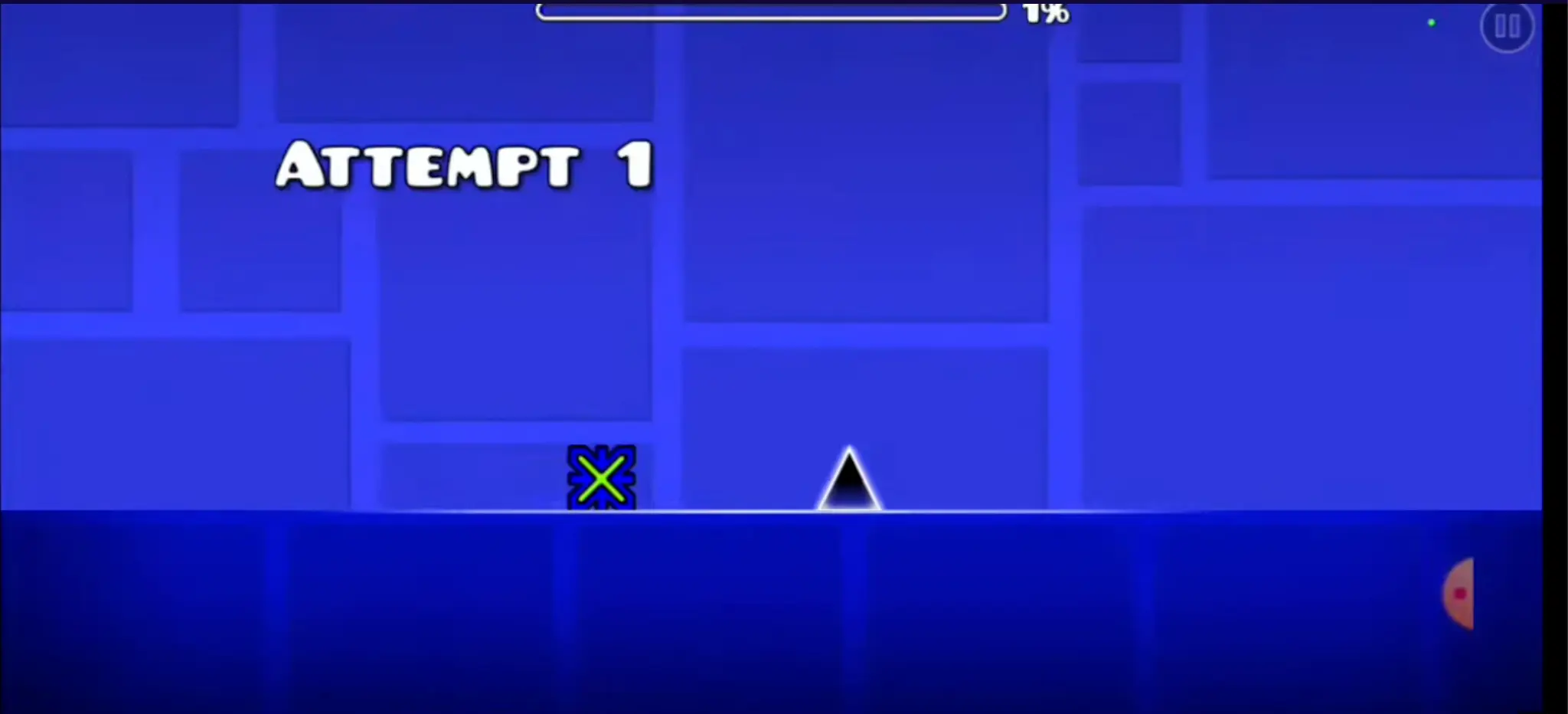
Playing Geometry Dash Lite is simple: tap or click to make your cube jump. Your character moves automatically from left to right, and you need to time your jumps perfectly to avoid obstacles. The game is all about rhythm and timing. Each level is synchronized with music, so listening to the beat helps you anticipate where obstacles will appear.
Practice mode allows you to place checkpoints and learn difficult sections without restarting from the beginning every time. This feature is especially valuable for beginners who are still learning the game mechanics. Start with the first level to understand the basics, then gradually progress to more challenging stages.
Game Controls and Input Methods
On PC, press the spacebar, click the left mouse button, or use the up arrow to jump. Choose the input method that feels most comfortable for you. On mobile, tap anywhere on the screen to jump. The timing is the same, but your finger replaces the keyboard or mouse.
Difficulty Progression in Geometry Dash Lite
Geometry Dash Lite features a well-balanced difficulty curve designed specifically for new players. Early levels teach you the basics with simple jumps and straightforward obstacles. As you progress, new mechanics are introduced: gravity portals, speed changes, and character transformations. The later levels in Lite are challenging but fair, providing a good stepping stone before moving to the full version of Geometry Dash.
Game Modes and Character Transformations
Like the full version, Geometry Dash Lite features multiple game modes where your cube transforms into different shapes. Each form has unique physics and controls that you need to master. The cube, ship, ball, and other forms all behave differently, adding variety to the gameplay. Learning how each form works is essential for progressing through the levels.
Understanding the Cube Form
The cube is your default form and the easiest to control. It jumps over obstacles with standard gravity physics. Master the cube form first before attempting other character types. The cube teaches you the fundamental timing and rhythm that applies to all other forms.
The Ship Form Explained
The ship flies up and down instead of jumping. It requires precise vertical control through portals. When you transform into a ship, your controls change completely—tapping makes you go up, and releasing makes you go down. This form teaches you smooth, controlled movements.
The Ball Form Challenge
The ball bounces and switches gravity with every tap. It demands very precise timing and is more challenging than the cube. Many players find the ball form frustrating at first, but with practice, you'll master the unique bouncing mechanics.
Practice Mode Strategy
Stuck on a difficult section? Use practice mode to place checkpoints and practice specific parts of a level without restarting from the beginning. This feature is essential for learning tough sequences and improving your consistency. Spend time in practice mode to build muscle memory and understand level patterns.
Customization and Unlockables
As you progress through Geometry Dash Lite, unlock new icons, colors, and visual customization options. Personalize your character to make it uniquely yours while you master the challenging levels. Unlocking new cosmetics gives you goals to work towards beyond just beating levels.
Why Choose Geometry Dash Lite?
If you're new to Geometry Dash, Lite is the perfect starting point. It's completely free, requires no download, and provides enough content to understand if you'll enjoy the full game. Many players use Lite to practice before moving to the more challenging full version. The curated level selection ensures you get a balanced learning experience without overwhelming difficulty spikes.
Perfect for Casual Gaming
Geometry Dash Lite is ideal for casual players who want quick gaming sessions without commitment. Each level takes just a few minutes to complete, making it perfect for playing during breaks or commutes. The game is accessible on any device with a web browser.
Tips for Success in Geometry Dash Lite
- Listen carefully to the music—obstacles sync with the beat
- Don't rush; focus on consistency over speed
- Use practice mode extensively to learn difficult sections
- Watch how each game mode behaves before attempting hard levels
- Take breaks to maintain focus and avoid frustration
- Start with the easiest levels to build confidence
- Don't give up—each attempt teaches you something new
Progression Path
Start with Geometry Dash Lite to learn the fundamentals. Once you've beaten all the levels and feel confident, move on to the full version of Geometry Dash for more challenges. The skills you learn in Lite directly transfer to the full game, making the progression natural and rewarding.
Free to Play Online
Geometry Dash Lite is completely free to play on geometrydash.ie. No downloads, no registration, and no hidden costs. Just open your browser and start playing instantly. The game loads quickly and runs smoothly on any modern browser.
Frequently Asked Questions
Is Geometry Dash Lite really free?
Yes, Geometry Dash Lite is completely free with no in-app purchases or hidden costs. You can play all levels without spending any money.
Can I transfer my progress to the full version?
Progress is typically separate between Lite and the full version, depending on the platform. However, the skills you learn in Lite transfer directly to the full game.
How many levels are in Geometry Dash Lite?
Geometry Dash Lite includes a curated selection of levels designed to teach you the game mechanics. The exact number varies, but it's enough to provide a complete learning experience.
Is Geometry Dash Lite suitable for children?
Yes, Geometry Dash Lite is suitable for children. It has no violence or inappropriate content. However, some younger children might find certain levels frustrating due to the difficulty.
Can I play Geometry Dash Lite on mobile?
Yes, Geometry Dash Lite works on mobile devices through the browser. It's fully responsive and optimized for touch controls.
Conclusion
Geometry Dash Lite is the perfect introduction to the Geometry Dash franchise. With its free access, curated levels, and beginner-friendly design, it's an excellent way to learn rhythm-based platforming. Whether you're a casual gamer or someone considering the full version, Lite provides hours of entertainment and challenge. Start playing today and discover why millions of players love Geometry Dash!